 Pelican
The four fields that matter
A kitchen order list is more than a shopping note. It is the handoff between your kitchen and your supplier, and therefore between what you need and what you spend. Four fields belong on every usable order sheet:
- Item, named precisely. Not "onions" but "onions, brown" if you also carry red and spring. The name has to leave no room for the wrong product.
- Quantity with a unit. Kilo, case, sack, each. Without the unit, "3 cream" is a guess. The unit is what makes the number mean something.
- Category. Produce, meat, fish, dairy, dry goods, drinks. Grouping is what lets the chef work one supplier's block at a time instead of jumping around the sheet.
- Author. Who added the item? Without a name there is no way to ask "how much do we actually need?" when a quantity looks off.
Where you keep it decides whether it works
The fields are the easy part. The hard part is that the need arises in the kitchen, all day, from several people, and the list has to be right there when it does.
Excel
Great at maths, poor at presence. The file lives on a computer, not in the walk-in where the gap is spotted. It works for a single buyer, not for a brigade that reports on the move. For more on that limit, see the guide on the restaurant order guide.
Mobile and shared, which is a real step up. But a chat is not a list. Items slide up the thread between roster chat and photos, nothing is sorted, nothing is checkable, and someone still retypes it all before ordering.
A dedicated app
Combines both: mobile like WhatsApp, structured like Excel. Each entry lands sorted, deduplicated and attributed, with no retyping at the end.
How the four fields fill themselves in Pelican
Pelican is built around exactly this list. Anyone on the team adds to it the moment they notice a gap, fastest by voice: "five litres of olive oil, three cases of vine tomatoes." Pelican recognizes the item, the quantity and the unit, sorts it into the right category and records who added it. The four fields are filled without anyone thinking about fields.
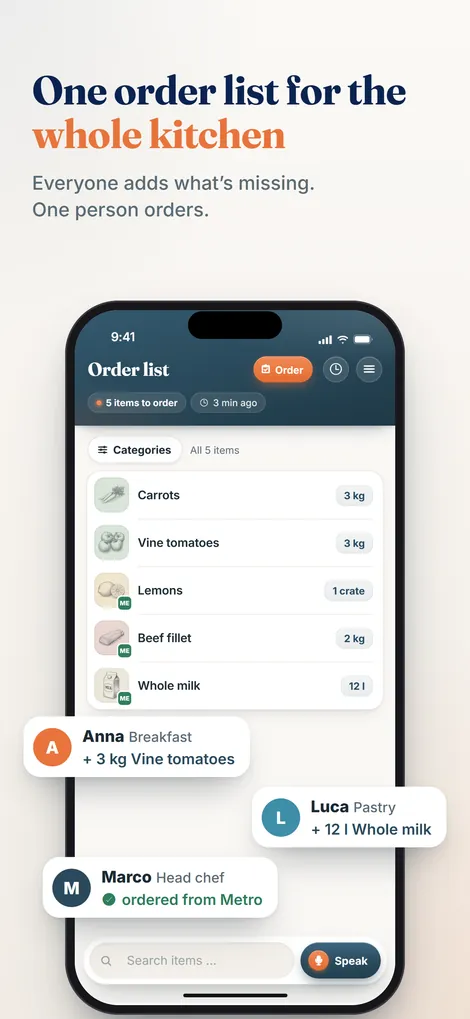
Duplicates are merged, so "tomatoes" reported twice becomes one line with the combined quantity. The head chef reviews and approves, and the finished list is ready for the supplier, exportable as a PDF or shared by email and WhatsApp when no rep is coming.
Build an order list that survives service
Sorted, deduplicated and attributed automatically. Try Pelican with your kitchen, free for 30 days.
Create business and try 30 days free